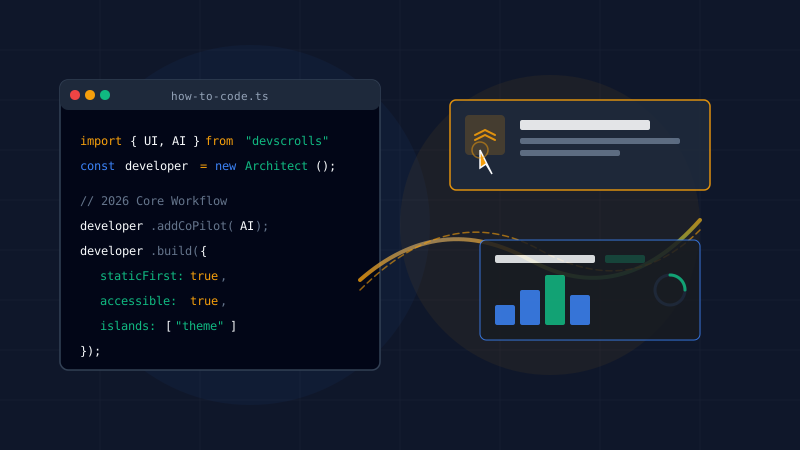
Whether you are new to frontend development or simply beginning your career in this 2026 AI era, then this article is for you.
A lot has changed over the last few years. Today, AI assistants can write boilerplate code, generate complex Tailwind layouts, and spin up serverless routes in seconds. Because of this, many beginners ask me: Is frontend development dead? Should I still learn to code?
Trust me, the answer is a big No. The role of a frontend developer has simply evolved. We are no longer just “coders” who copy-paste layouts. In 2026, a great frontend developer is a UI Architect, a systems integrator, and a user experience orchestrator.
Let’s see what you need to master to become a successful frontend developer today.
1. The Core Invariant: Still HTML, CSS & JavaScript
Even though AI can write code for you, you still have to master the basics. Think of HTML, CSS, and JavaScript as the ocean, and AI tools or frameworks as ships that help you sail. But if you know the ocean, you can go wherever you want.
If you don’t understand how elements render or how scripts execute, you can’t debug what the AI generates. When the AI makes a mistake (and it will!), you must know what is happening under the hood to fix it.
For example, you need to understand event delegation, which is nothing but attaching a single click listener to a parent element instead of binding it to hundreds of list items:
// src/scripts/delegation.js
// By using event delegation, we attach one event listener to the parent container.
// This reduces memory consumption and prevents performance lags on slow devices.
const container = document.querySelector('.card-container');

container?.addEventListener('click', (event) => {
  const target = event.target;

  // Verify if the clicked target is a button inside our card
  if (target && target.tagName === 'BUTTON') {
    console.log('Action triggered:', target.textContent);
  }
});
Once you master these core concepts, you can able to review AI code easily and verify that it is clean, secure, and accessible.
2. AI as a Co-Pilot, Not the Pilot
In 2026, we don’t code alone. We pair program with AI agents. But the key is knowing how to direct them. Writing high-quality prompts and feeding the AI with structured context (like your design tokens or API schemas) is a new frontend skill.
Here are the essential tools you should learn to use:
- AI Code Editors: Editors like Cursor or custom agent tools are standard now. They autocomplete entire blocks and help you debug errors in real-time.
- Git & GitHub: Version control is even more critical when generating code rapidly. You need to keep commits small so you can easily revert AI mistakes.
- Documentation Sites: Websites like MDN (Mozilla Developer Network) and CSS-Tricks are still your official source of truth to check if the generated code is correct.
3. The Shift to Static-First and Islands Architecture
For a long time, we built massive Single Page Applications (SPAs) that shipped megabytes of JavaScript to the client’s browser. That era is over.
Today, the industry is focused on performance. We build static-first applications and only add JavaScript where it is absolutely needed. This is done using Islands Architecture, which is nothing but rendering static HTML on the server and hydrating only the interactive widgets (like a shopping cart or a search bar).
Astro is currently the leading tool for this architecture. When you build with Astro, your default output has zero JavaScript. This is why websites load instantly now.
4. Accessibility & Performance are Your Real Superpowers
Because AI can generate visual layouts easily, the true value of a frontend developer lies in the details that AI cannot feel: Accessibility (a11y) and Performance.
Google and search crawlers will prioritize your site only if it meets these standards. You need to focus on:
- Keyboard Navigation: Ensure every interactive element can be reached using the Tab key, and focus rings are always visible.
- Screen Reader Compliance: Use proper semantic tags like
<header>,<main>,<article>, and<time>instead of generic<div>blocks. - Core Web Vitals: Monitor your Largest Contentful Paint (LCP) and Cumulative Layout Shift (CLS) so that elements don’t jump around when loading.
If you are good at these optimizations, you can able to create premium experiences that stand out from generic AI-generated sites.
5. Where to Learn & How to Practice
I recommend these free resources to learn and practice your skills:
- freecodecamp.org — Excellent for learning the fundamentals step-by-step.
- w3schools.com — Great for quick syntax references.
- CodePen — Perfect for building and testing small visual CSS components from scratch.
Ahaa! that’s what am talking about… actually writing code is the best way to learn. Here are some project ideas you should practice building:
- Build UI Components from Scratch: Try to build accordions, tabs, dropdowns, and carousels using raw CSS and vanilla JS before importing third-party libraries.
- Build Clone Websites: Replicating complex web layouts helps you understand layout foundations (Flexbox, Grid) and spacing structures.
- Build a Personal Portfolio: Create a fast, static website using Astro to showcase your projects and write about your learnings.
Moving Forward
Frontend development is not going away — it is becoming more architectural. You don’t need to memorize every CSS property, but you must understand how layouts fit together, how components hydrate, and how users interact with your interfaces.
If you want to keep your daily focus sharp while managing engineering tasks, try our lightweight DailyScroll companion. And if you’re curious about how generative AI changes your engineering habits, read my breakdown on how AI rewired my engineering brain in one year.
Once you have built your portfolio and are ready to apply for positions, browse verified remote roles on the DevScrolls Remote Job Board.
Keep practicing, learn to guide your AI assistants effectively, and focus on delivering accessible and performant UIs.
Happy coding!