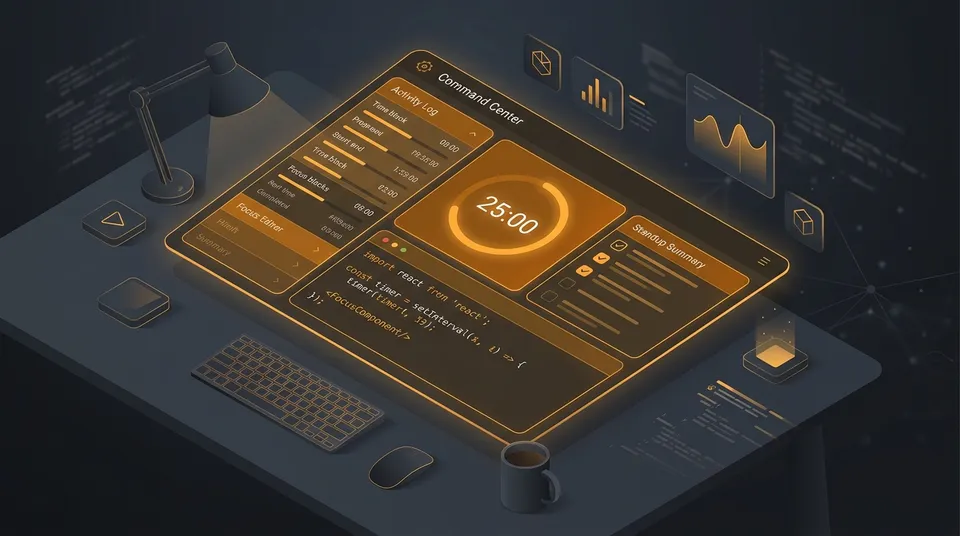
BLUF: Most software engineers start their morning in reactive mode: scrambling to remember what they finished yesterday for the 9:30 AM standup, staring at 15 scattered Jira tickets, and fighting Slack notifications all day. After building and dogfooding my own offline daily companion (DailyScroll) in production for 30 consecutive workdays, I discovered that productivity is not about managing more tasks. It is about establishing a five-minute daily ritual. In this article, I break down how restructuring my daily workflow around three operational time blocks, automated standup generation, and single-task focus sprints completely transformed my workday.
If you are a developer juggling sprint tickets, morning standups, and pull request reviews every single day, then this article is for you.
1. The 30-Day Dogfooding Experiment
A few months ago, I wrote about Why Developers Need a Daily Companion. The idea was simple: build a tiny, zero-latency local tool using localStorage to escape the bloat of project management software.
I committed to dogfooding it every single working day.
For the first two weeks, it felt liberating. No logins, no loading spinners, no heavy cloud sync. But as real sprint deadlines hit, cracks began to show. A flat list of 12 unorganized tasks quickly turned into an intimidating wall of text.
Here is what actually happened during real workdays:
- The 9:25 AM standup scramble: Five minutes before the daily scrum, I would open git logs, closed pull requests, and my browser tabs trying to piece together: “What did I actually ship yesterday?”
- The midday context-switch trap: A critical bug would come in, or a teammate would request a review on a 500-line PR. My flat task list could not tell me what to tackle first versus what belonged in the afternoon.
- The guilt of unfinished tasks: At 5:30 PM, seeing 4 uncompleted checkboxes made the day feel like a failure, even if I had spent 4 hours fixing a production outage.
In other words, a flat task list only records chaos—it does not resolve it. To survive real engineering work, the tool needed to adapt to how developers actually think and work.
2. Automating the Daily Standup
The first major bottleneck was the daily scrum. Every engineer knows the ritual: Yesterday, Today, Blockers. Yet we repeatedly waste 10 minutes every morning manually typing it into Slack or Teams channels.
I updated DailyScroll to make standup generation an instant, one-click operation. Because the app already tracks which tasks were checked off and which remain pending, generating the report is just data transformation.
For example, when an engineer flags a task with !blocked or !blocker in the quick palette, the parser extracts that blocker immediately:
// Parsing blockers and priorities with zero regex overhead
const isBlocked = /\!(blocked|blocker)\b/i.test(rawText);
const cleanText = rawText.replace(/\!(blocked|blocker)\b/gi, '').trim();

const task: Task = {
  id: crypto.randomUUID(),
  text: cleanText,
  blocked: isBlocked,
  completed: false,
  createdAt: Date.now()
};
When you click Export Standup at 9:28 AM, you get instant, clean Markdown or Slack-formatted text ready to paste:
*Yesterday:*
• Fixed race condition in token refresh handler
• Reviewed PR #342 for auth middleware

*Today:*
• Implement time-block grouping in task list

*Blockers:*
• Waiting on DevOps for staging Redis cluster credentials
It turns 10 minutes of mental effort into a 2-second click. It’s me from the experience 😉 — starting your morning standup with zero panic sets a calm tone for the rest of your workday.
3. The Power of Three Operational Time Blocks
One of the biggest mistakes developers make is treating an 8-hour workday as one continuous block of time.
In reality, your brain operates in distinct energy states:
- Morning: Peak cognitive energy. Best for complex algorithms, architecture design, and deep work.
- Afternoon: Collaborative energy. Best for meetings, PR reviews, and unblocking teammates.
- Evening: Wrap-up energy. Best for documentation, testing edge cases, and clearing quick tickets.
Instead of staring at 15 items in a single column, we introduced Time Blocks: @morning, @afternoon, and @evening.
[☀️ MORNING]    3 tasks (Deep work & core features)
[🌤 AFTERNOON]  2 tasks (Code reviews & sprint meetings)
[🌙 EVENING]    2 tasks (PR merges & tomorrow prep)
You can type Fix memory leak @morning or drag tasks between blocks. When your tasks are grouped by time of day, you stop worrying about 2:00 PM meetings while writing code at 10:00 AM. You only focus on the current block in front of you.
4. Protecting Flow State with 25-Minute Sprints
Getting into flow state takes roughly 15 to 20 minutes of uninterrupted focus. But getting kicked out of flow takes one Slack notification.
To solve this, we integrated an active Focus Sprint directly onto individual tasks. Clicking the stopwatch icon (⏱) or selecting any task and pressing P launches a 25-minute countdown bar pinned to the top of your workspace.
// Synchronizing remaining sprint time directly to the tab title
useEffect(() => {
  if (focusSession && isTimerRunning) {
    const mins = Math.floor(timerSeconds / 60);
    const secs = String(timerSeconds % 60).padStart(2, '0');
    document.title = `(${mins}:${secs}) DailyScroll`;
  } else {
    document.title = "DailyScroll - Developer Command Center";
  }
}, [timerSeconds, focusSession, isTimerRunning]);
This tiny detail is surprisingly powerful: because developers spend most of their day in VS Code or a terminal, you don’t want to keep switching browser windows to check your timer. A quick glance at the browser tab title gives you your exact remaining sprint time.
When the timer hits zero, instead of loading heavy third-party audio files or making network requests, we synthesize a dual-frequency chime locally using the Web Audio API:
// Synthesizing an audio chime with zero external audio assets
const ctx = new (window.AudioContext || (window as any).webkitAudioContext)();
const osc = ctx.createOscillator();
const gain = ctx.createGain();

osc.type = 'sine';
osc.frequency.setValueAtTime(587.33, ctx.currentTime); // D5 tone
osc.frequency.setValueAtTime(880.00, ctx.currentTime + 0.12); // A5 tone
gain.gain.exponentialRampToValueAtTime(0.001, ctx.currentTime + 0.7);

osc.connect(gain);
gain.connect(ctx.destination);
osc.start();
osc.stop(ctx.currentTime + 0.7);
There are zero network requests, zero audio file lag, and it functions completely offline. Similar to our work on Evolving the JSON Formatter, keeping utility tools completely independent of network calls makes them feel instantaneous.
5. Keyboard Execution and Saying No to UI Bloat
During the design phase, we initially tested adding explicit up and down arrow buttons next to each task for reordering.
On paper, it sounded convenient. But once we tested it in real daily use, it became immediately obvious that it was a mistake. Having arrow buttons on every single row added unnecessary visual clutter and cramped the mobile layout.
We stripped the arrow buttons out and chose a cleaner engineering approach:
- Desktop power users: Press
Alt + ArrowUporAlt + ArrowDownto move any selected task instantly with zero mouse clicks. - Mobile users: Configured
touch-action: none;on the drag handle, allowing smooth touch dragging on phones without triggering viewport scrolling.
You can navigate with J and K, complete tasks with X, defer with D, and search with /. You can able to run your entire day without ever lifting your hands from the keyboard.
6. The 5:30 PM Shutdown Ritual
The final piece of the ritual happens right before you close your laptop.
Unfinished tasks are inevitable in software engineering. Scope expands, dependencies fail, or urgent production issues interrupt your planned work. If unfinished tasks stay on your screen overnight, you start the next morning with yesterday’s mental baggage.
With the new 8-day navigation strip, wrapping up takes 30 seconds:
- Review any remaining pending tasks from today.
- Click the quick defer button (
→) or hitDon your keyboard to roll them directly into tomorrow’s plan (TMR). - If you accidentally defer or delete an item, hit
Ctrl + Zto instantly undo it. - Close your browser tab.
When you open DailyScroll the next morning, today is fresh, yesterday’s finished tasks are ready for standup, and your momentum is already waiting for you.
Conclusion
Productivity tools often trap developers in endless configuration. We spend hours tweaking Notion databases, organizing Jira epics, or testing complex plugins, when all we really needed was a clear, distraction-free game plan for the next eight hours.
By turning our daily routine into a lightweight 5-minute ritual—plan in the morning, execute in focused sprints, and roll over at shutdown—you protect your energy and ship meaningful code.
Take five minutes to test the upgraded DailyScroll on your next workday. Try running your morning standup through it, test the focus timer, and let me know how it changes your daily velocity. Trust me, having a calm, organized workday makes all the difference!